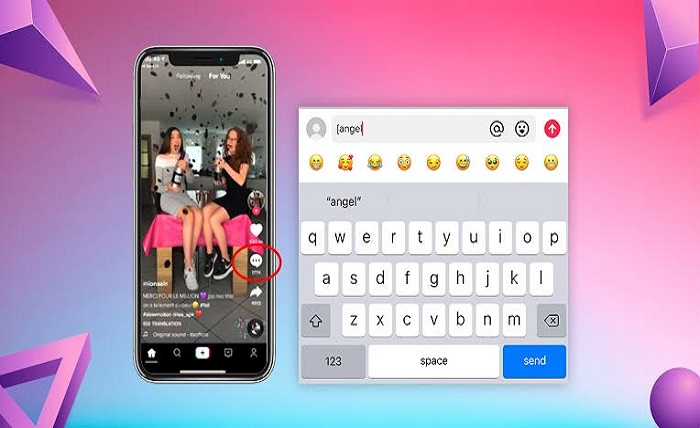
TikTok emoji codes have become one of the platform’s most interesting hidden features. Unlike standard emojis available on your phone’s keyboard, TikTok emoji codes unlock secret emojis that are exclusive to TikTok. These hidden icons add personality, humor, and creativity to comments, captions, and direct messages.
Many TikTok users are surprised to discover that these emojis don’t appear in the regular emoji picker. Instead, you type a specific shortcode enclosed in square brackets, and TikTok automatically converts it into a unique emoji. Understanding TikTok emoji codes can help you communicate more expressively and stand out in conversations.
Whether you’re a casual viewer, content creator, or influencer, mastering TikTok emoji codes can make your interactions more engaging. This complete guide explains everything you need to know, from how they work to the full list of codes and tips for using them effectively.
What Are TikTok Emoji Codes?
TikTok emoji codes are hidden text shortcuts that generate exclusive TikTok emojis. These emojis are different from Unicode emojis because they exist only inside the TikTok platform.
When you type a valid TikTok emoji code inside square brackets, TikTok instantly replaces the code with a colorful custom emoji. For example:
[smile][happy][cry][wow]
Each TikTok emoji code represents a unique emotion or reaction that users frequently use in comments and messages.
Unlike traditional emojis, these hidden icons have a distinctive TikTok design, making conversations feel more fun and expressive.
Why TikTok Emoji Codes Are So Popular
The popularity of TikTok emoji codes has grown rapidly because they give users exclusive ways to communicate.
Here are several reasons why creators love TikTok emoji codes:
- They look unique compared to standard emojis.
- They help comments stand out.
- They’re fun to discover and share.
- Many users don’t know they exist.
- They create a sense of community among TikTok users.
As TikTok continues adding new features, TikTok emoji codes remain one of the platform’s favorite hidden secrets.
Complete List of Popular TikTok Emoji Codes
Below are some of the most commonly used TikTok emoji codes.
| TikTok Emoji Code | Meaning |
|---|---|
[smile] |
Happy smile |
[happy] |
Big happiness |
[cry] |
Crying |
[sob] |
Heavy crying |
[laugh] |
Laughing |
[funny] |
Something hilarious |
[loveface] |
In love |
[shy] |
Feeling shy |
[angry] |
Angry mood |
[rage] |
Very angry |
[wow] |
Surprise |
[surprised] |
Shock |
[thinking] |
Thinking |
[cool] |
Cool attitude |
[proud] |
Feeling proud |
[slap] |
Playful slap |
[wicked] |
Mischievous |
[greedy] |
Wanting more |
[drool] |
Delicious or attractive |
[blink] |
Wink |
[speechless] |
No words |
[embarrassed] |
Embarrassment |
[cute] |
Cute reaction |
[hehe] |
Giggling |
[facewithrollingeyes] |
Eye roll |
These TikTok emoji codes may vary slightly depending on updates, but the majority remain available globally.
How to Use TikTok Emoji Codes
Using TikTok emoji codes is simple.
Step 1
Open TikTok.
Step 2
Go to comments, messages, or captions.
Step 3
Type the TikTok emoji code inside square brackets.
Example:
[happy]Step 4
Post the comment.
TikTok automatically converts the TikTok emoji code into its hidden emoji.
If nothing happens, double-check your spelling because TikTok emoji codes must be typed exactly.
Best Ways to Use TikTok Emoji Codes
There are many creative ways to use TikTok emoji codes.
In Comments
Respond to funny videos with:
[laugh]In Captions
Add emotion using:
[loveface]In Messages
Express surprise:
[wow]During Live Streams
Many viewers use TikTok emoji codes to react quickly during livestreams.
With Friends
Hidden emojis make chats more entertaining since many people still don’t know about TikTok emoji codes.
Common Mistakes When Using TikTok Emoji Codes
Many beginners make small mistakes when trying TikTok emoji codes.
Missing Brackets
Incorrect:
happyCorrect:
[happy]Wrong Spelling
Even one incorrect letter prevents the TikTok emoji code from working.
Extra Spaces
Never write:
[ happy ]Instead use:
[happy]Unsupported Apps
Some third-party TikTok apps may not recognize TikTok emoji codes correctly.
Outdated Lists
TikTok occasionally updates available emojis, so always use recent TikTok emoji codes.
Tips to Get the Most Out of TikTok Emoji Codes
If you want to master TikTok emoji codes, consider these tips.
- Save your favorite codes.
- Don’t overuse hidden emojis.
- Match emojis with your message.
- Combine hidden emojis with regular emojis.
- Stay updated as TikTok occasionally introduces new TikTok emoji codes.
Creators often use TikTok emoji codes to make their audience feel more connected. Unique comments frequently receive more attention because they look different from ordinary emoji replies.
As you become familiar with the available options, TikTok emoji codes become second nature and help you communicate emotions more creatively.
Conclusion
TikTok emoji codes are one of the platform’s most enjoyable hidden features. They allow users to unlock exclusive emojis that cannot be found on a normal keyboard. Whether you’re commenting on viral videos, chatting with friends, or creating engaging captions, TikTok emoji codes add personality and creativity to every interaction.
Learning the correct codes, typing them accurately, and using them naturally will improve your TikTok experience. As TikTok continues to evolve, keeping up with the latest TikTok emoji codes ensures your comments remain fun, expressive, and unique.
FAQs
1. What are TikTok emoji codes?
TikTok emoji codes are special text shortcuts typed inside square brackets that create hidden TikTok-exclusive emojis.
2. Are TikTok emoji codes free?
Yes. TikTok emoji codes are completely free for all TikTok users.
3. Can I use TikTok emoji codes on Android and iPhone?
Yes. TikTok emoji codes work on both Android and iPhone as long as you use the official TikTok app.
4. Why aren’t my TikTok emoji codes working?
Your TikTok emoji codes may not work if the spelling is incorrect, the brackets are missing, or the code is no longer supported.
5. Do TikTok emoji codes work outside TikTok?
No. TikTok emoji codes only render as hidden emojis within TikTok. On other platforms, they usually appear as plain text.